I’ve been using an HDHomeRun network TV tuner for years, and I just recently got an LG C5 OLED TV. Using the built-in apps on a smart TV is generally a terrible practice, and I will soon get all my content through a streaming box, but right now I haven’t purchased a streaming box so right now I have to use the LG built-in apps.
My first thought about using the HDHomeRun TV tuner is that I can simply open the LG app store on the TV, find an HDHomeRun app, and I should be good to go. And a bit of Googling shows that an HDHomeRun app does exist, so it should be no problem, I thought. But when I searched for hdhomerun in the LG app store on my C5, I got no results. I even asked ChatGPT, and it’s response was basically “get a Roku, lol”.
But I found a workaround which does let you use the HDHomeRun with the LG C5, they just buried it where probably nobody will look.
The workaround
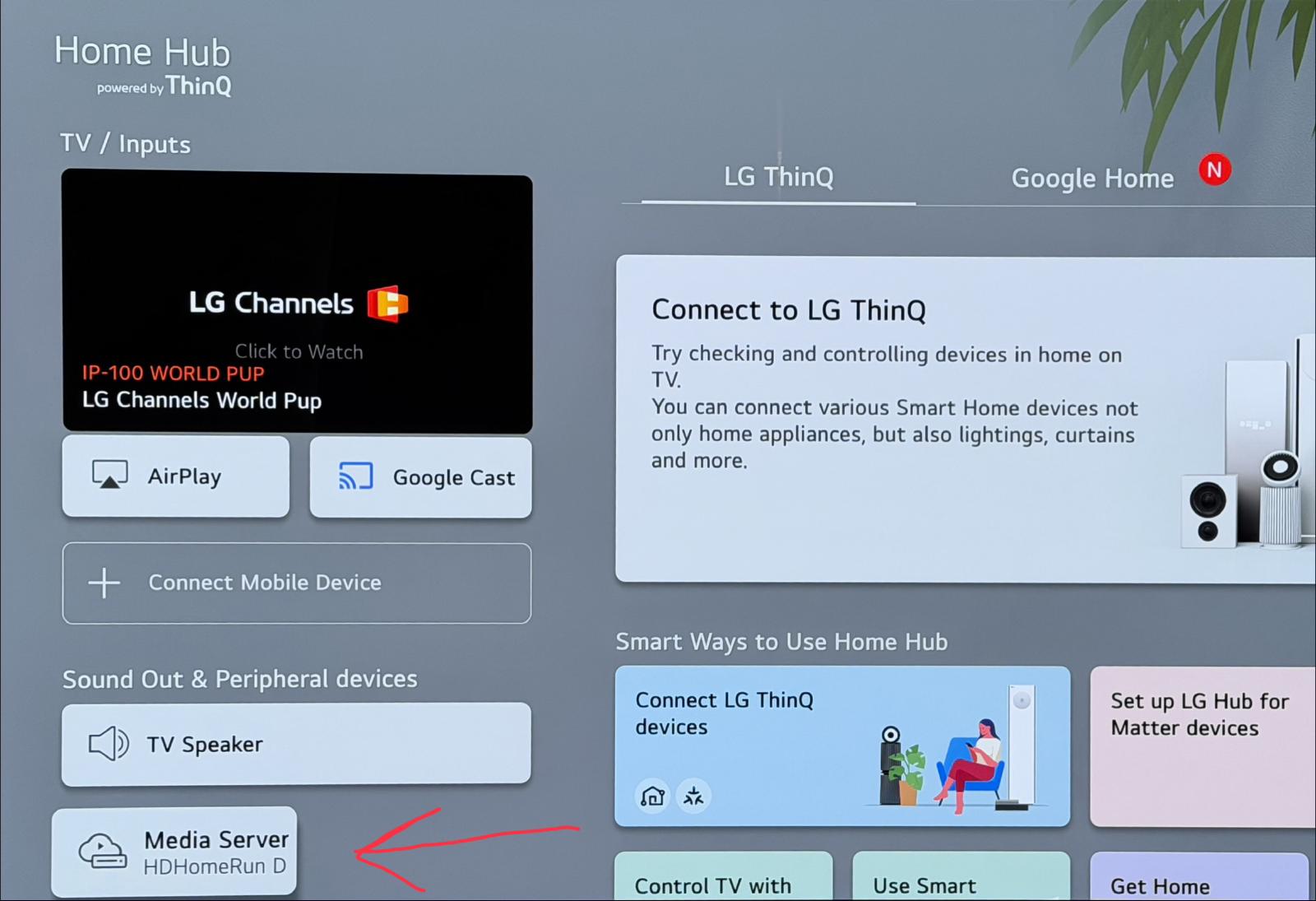
On the LG C5, if you browse to Home Hub, the TV will show you other devices that it discovered on your network (Home Hub is found on the home screen, or you can use the button the remote of a home with a little circle around it, which is different than the button of just a home). Here’s a screenshot of Home Hub showing that it auto-detected the HDHomeRun on my network:
Then if you click on the HDHomeRun device which was autodiscovered, you’ll see some kind of virtual filesystem that the HDHomeRun exposes, and it has all your channels. I assume this is a DLNA server that HDHomeRun exposes, but I don’t really know. Here’s a screenshot showing the virtual filesystem with all the channels:
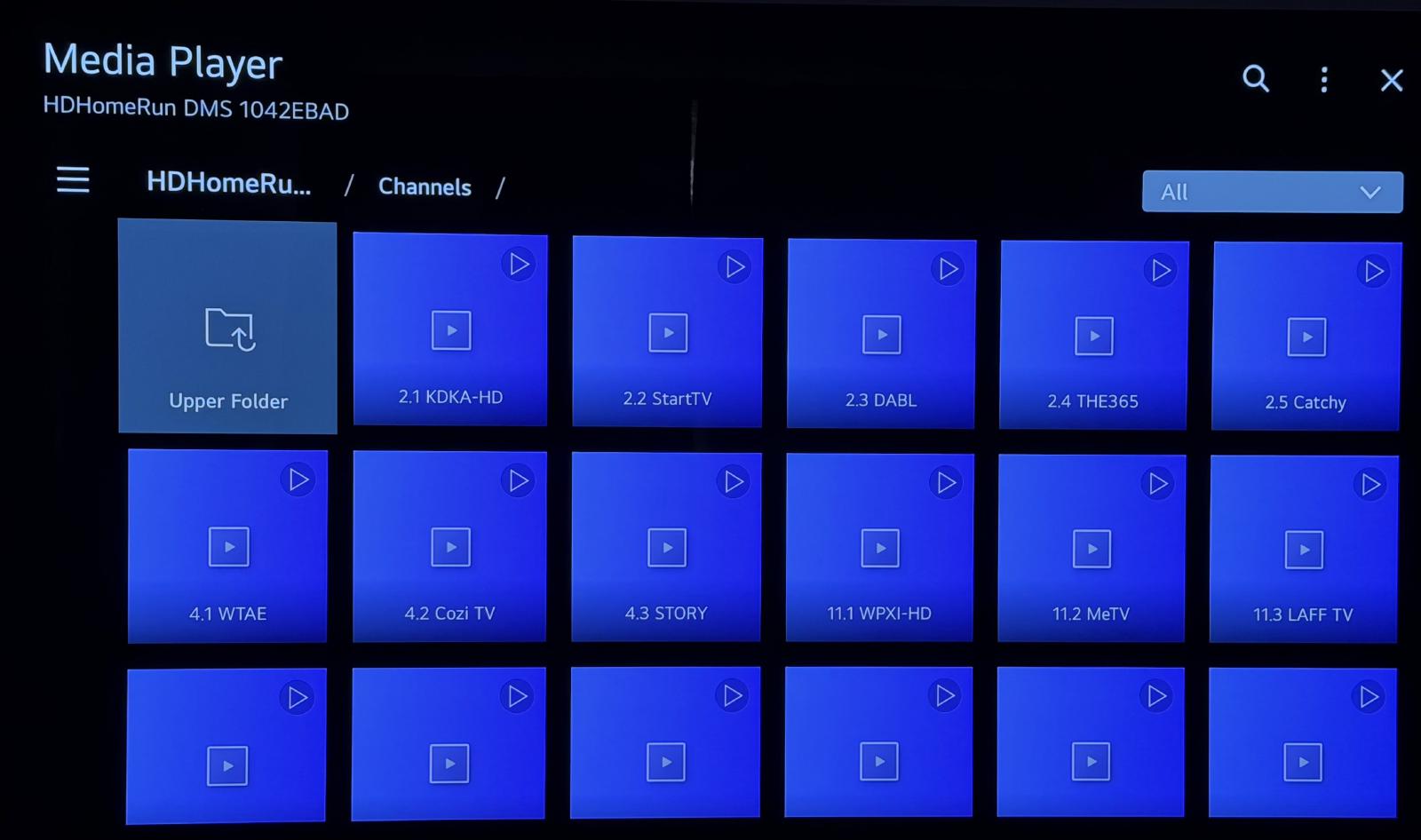
If you click on any of those, you can watch the desired TV channel.
But this workaround still isn’t great
It does work and it does let you watch the desired channel, but it’s still not as good as a full fledged HDHomeRun app. There’s no EPG, there’s no recording capability, and you would have to browse back to the virtual filesystem if you want to change channels. But if you found this page via Google because you have no other options and you just want to watch a live sporting event that starts in 5 minutes or something, the workaround works.
I’ll move to a proper streaming device soon enough.